
What is the Mercedes Map PIN? Activation Codes Explained
The Mercedes Map PIN is the activation code that authorises a navigation map update on your Mercedes-Benz — unique to your VIN, head unit, version and region.
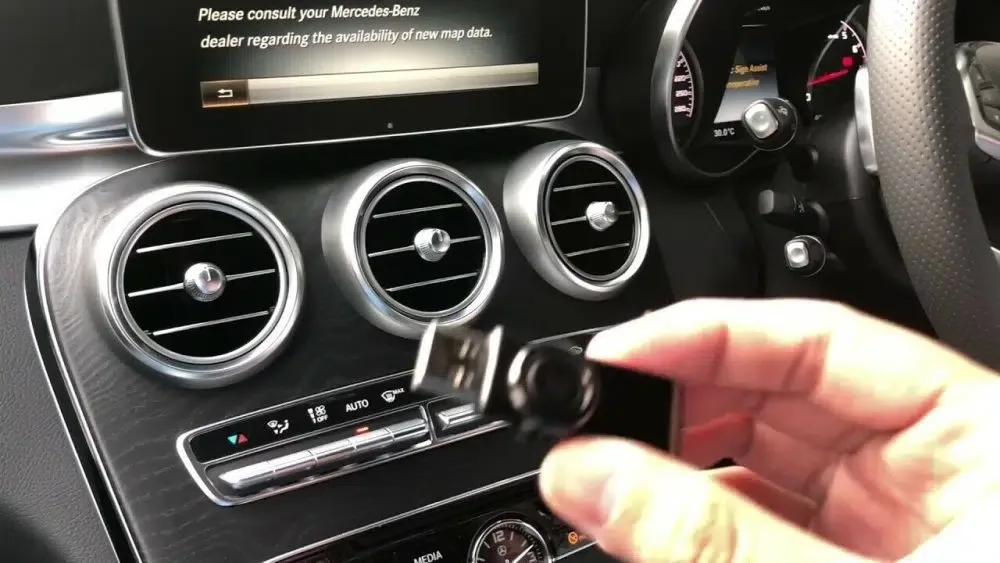
If you've ordered a map update for your Mercedes-Benz, you'll have come across the term Map PIN — sometimes called the Mercedes map activation code or navigation PIN. Here's exactly what it is, why your car needs one, and what makes yours unique.
The Map PIN in plain English
The Mercedes Map PIN is a one-time activation code that authorises a new set of map data to run on your specific vehicle. When you plug in your USB stick or SD card and start the map install, your COMAND or MBUX system prompts for the PIN before applying the update. The PIN tells the head unit "yes, this map is licensed for this car" — without it, the install is rejected.
What your PIN is tied to
Every Mercedes Map PIN is unique to a combination of four things:
- Your VIN — the 17-character vehicle identification number
- Your head-unit version — which NTG generation the car has (NTG3.5, NTG4.5, NTG5*1, NTG5*2, NTG5.5, NTG6, NTG7 or Gen20x)
- The map version — for example, Europe v2025
- The region — Europe, North America, etc.
Change any one of those four and the PIN no longer works. That's why a Map PIN cannot be transferred between vehicles — even two identical-spec cars have different VINs and therefore need different PINs.
Why this matters when you order
When you place an order with us, we generate the PIN against your car. We need three pieces of information:
- Your full 17-character VIN. Double-check it on your V5C log book or the door-jamb sticker — a mistyped VIN is the most common ordering issue.
- The map version you want — usually the latest, but older versions are available if you have a specific need.
- The region — match where you actually drive.
Once we have those three, the PIN is generated for your VIN and emailed to you alongside install instructions tailored to your NTG generation.
The most common Map PIN entry mistake
Map PINs are long alphanumeric strings. The single biggest reason a PIN fails on first try isn't a wrong PIN — it's a typing error. The COMAND/MBUX onscreen keyboard makes two characters easy to confuse:
- The letter O and the digit 0
- The letter I and the digit 1
If your PIN is rejected, check those characters first before assuming there's an issue with the code.
When a Map PIN doesn't work
If the characters are correct and the PIN still doesn't go through, the usual causes are:
- Wrong VIN supplied at order time. The PIN is generated against the VIN you gave us; a typo means the PIN doesn't match the car.
- Wrong NTG generation. If the car has been retrofitted with a different head unit than its original spec, the PIN needs to be regenerated against the actual installed unit.
- Map files corrupted on the storage device. See the Mercedes FAQ for the right USB or SD card format per NTG generation.
If your PIN is genuinely failing, contact us with your VIN and a photo of the COMAND/MBUX screen — we'll regenerate it.
How to get your Mercedes Map PIN from FSCMAPCODES
We supply Map PINs for every NTG generation: NTG3.5, NTG4.5, NTG5*1, NTG5*2, NTG5.5, NTG6, NTG7 and Gen20x. Each PIN is generated for your VIN, the map version you choose, and your region.
If you're unsure which NTG generation your Mercedes has, the VIN compatibility checker decodes it for you automatically.