Home/Mercedes/Mercedes Map PIN Codes/Mercedes Map PIN Code — Gen20x
Mercedes Map PIN Code — Gen20x
Mercedes Map PIN Codes

Mercedes Map PIN Code — Gen20x

Original Mercedes-Benz navigation map activation PIN for Gen20x (MBUX Zero Layer UI) head units. Pick your region — code delivered by email.
£100.00
Delivered by email
Secure checkout

Details

What's included
  • Original MBUX activation
  • Generated for your VIN
  • Email delivery

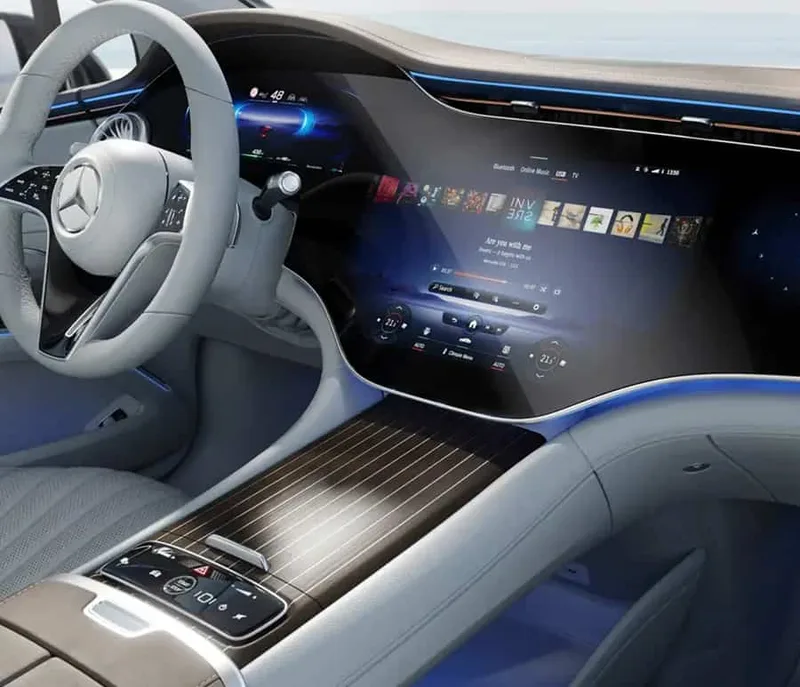
Gen20x is the latest MBUX generation featuring the Zero Layer UI, introduced in 2024. Vehicles are identified by Mercedes option code 528 (MBUX PREMIUM MULTIMEDIA SYSTEM, GEN. 20X). Supports Augmented Reality navigation.

What you receive

  • An original Mercedes-Benz activation PIN generated for your VIN and the selected map version.
  • The original Mercedes Download Manager — handles the download, file extraction, USB formatting and copy in one step. Windows-only, so a Windows PC is required to run it.

Delivery

  • Quick email delivery after purchase — your PIN and the Download Manager arrive in your inbox.

About Gen20x

  • Gen20x is the latest MBUX generation, featuring the Zero Layer UI.
  • Identifiable by Mercedes option code 528 (MBUX PREMIUM MULTIMEDIA SYSTEM, GEN. 20X) on your VIN data card.
  • Compatible with vehicles equipped with augmented reality (AR) navigation.

Good to know

  • The PIN is generated against your 17-digit VIN and the specific map version — please double-check your VIN before ordering.
  • It cannot be transferred to another vehicle or paired with a different map version.
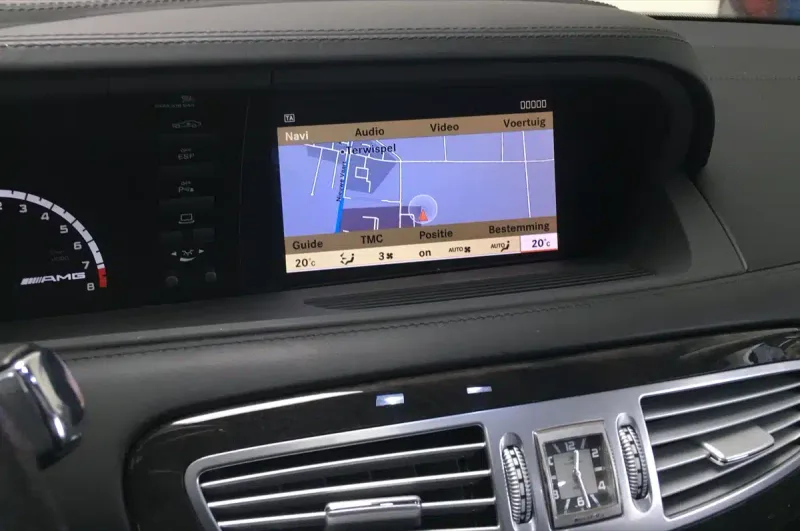
Installation

Updating the maps on a Gen20x (MBUX gen 3) head unit takes about an hour from start to finish, most of which is the file copy itself. You won’t need a workshop or coding tools — just a USB stick (or SD card on some older units) and the PIN we email you.

What you need

  • A USB stick, at least 32 GB (64 GB recommended for newer maps), formatted as FAT32 or exFAT.
  • A Windows PC — the Mercedes Download Manager we provide only runs on Windows.
  • The activation PIN we email you after ordering.
  • Your Mercedes within reach — you’ll need to keep the engine running (or the ignition on) during the update.

Step-by-step

  1. Plug your USB stick into your Windows PC and open the Mercedes Download Manager we send you.
  2. The Download Manager handles the rest — it pulls the right map file for your region, extracts it, formats your USB and copies the files across in the correct structure. No file fiddling on your part.
  3. When the Download Manager says it’s done, eject the USB safely.
  4. Sit in your Mercedes and start the engine (or set ignition to position 2 / on).
  5. Insert the USB stick into the centre-console USB port (or media-interface SD slot, depending on model).
  6. Wait around 20 seconds — your COMAND / MBUX system will detect the update and prompt you with a pop-up.
  7. Confirm Start update with the iDrive-style controller.
  8. When prompted, enter the activation PIN we emailed you. The system will verify it against your VIN.
  9. Leave the USB plugged in until the update finishes — your COMAND / MBUX system will reboot automatically. Don’t turn the engine off.

Stuck? Email us with a photo of your screen and we’ll talk you through it. Most issues are USB-format related — we have a one-click formatter app that handles it for you if needed.

Compatibility

Compatible Mercedes models

  • All Mercedes-Benz vehicles equipped with Gen20x (option 528)
  • Refreshed A-Class, C-Class, E-Class (2024+)
  • GLE, GLC (2024+)
  • EQE, EQS (2024+ updates)

Other Mercedes vehicles fitted with the Gen20x head unit will also work. If your model isn’t listed, send us your VIN before ordering and we’ll confirm fitment.

Map coverage by region

Every region we ship for Gen20x, with the country list and current supplier version. Pick the matching region from the variant dropdown above to confirm your country before checking out.

Europe — V15 2026 (48 territories)

  • Albania
  • Andorra
  • Austria
  • Belgium
  • Bosnia-Herzegovina
  • Bulgaria
  • Croatia
  • Czech Republic
  • Denmark
  • Estonia
  • Finland
  • France
  • Germany
  • Gibraltar
  • Greece
  • Hungary
  • Iceland
  • Ireland
  • Israel
  • Italy
  • Kazakhstan
  • Kosovo
  • Latvia
  • Liechtenstein
  • Lithuania
  • Luxembourg
  • Macedonia (FYROM)
  • Malta
  • Moldova
  • Monaco
  • Montenegro
  • Netherlands
  • Norway
  • Poland
  • Portugal
  • Romania
  • Russia
  • San Marino
  • Serbia
  • Slovak Republic
  • Slovenia
  • Spain
  • Sweden
  • Switzerland
  • Turkey
  • Ukraine
  • United Kingdom
  • Vatican

North America — V14 2025 (3 territories)

  • USA
  • Canada
  • Mexico

South America — V8 2025 (15 territories)

  • Argentina
  • Brazil
  • Cayman Islands
  • Chile
  • Colombia
  • Costa Rica
  • French Guiana
  • Guadeloupe
  • Martinique
  • Panama
  • Paraguay
  • Peru
  • Saint Barthélemy
  • Uruguay
  • Venezuela

Africa / Middle East — V9 2026 (10 territories)

  • Algeria
  • Egypt
  • Lebanon
  • Libya
  • Morocco
  • Tunisia
  • Central Africa (Northern)
  • Central Africa (Southern)
  • Southern Africa
  • Arab States of the Persian Gulf

Australia / New Zealand — V8 2025 (2 territories)

  • Australia
  • New Zealand

India — V9 2025 (1 territory)

  • India

Southeast Asia — V9 2025 (12 territories)

  • Bhutan
  • Brunei
  • Hong Kong
  • Indonesia
  • Malaysia
  • Nepal
  • Philippines
  • Singapore
  • Sri Lanka
  • Taiwan
  • Thailand
  • Vietnam

You might also like

View all